Android app
AlphaAuto Swiper — now on your phone.
Swipes Tinder, Bumble, Hinge, Badoo, and Lovoo directly on Android. No browser, no laptop, no compromise.
Works as an overlay on top of your dating app — hands-free swiping with human-like gestures, scheduled sessions, and detection that works in any app language.
Free for Pro & Ultimate subscribers while in alpha · Requires Android 14 or later.
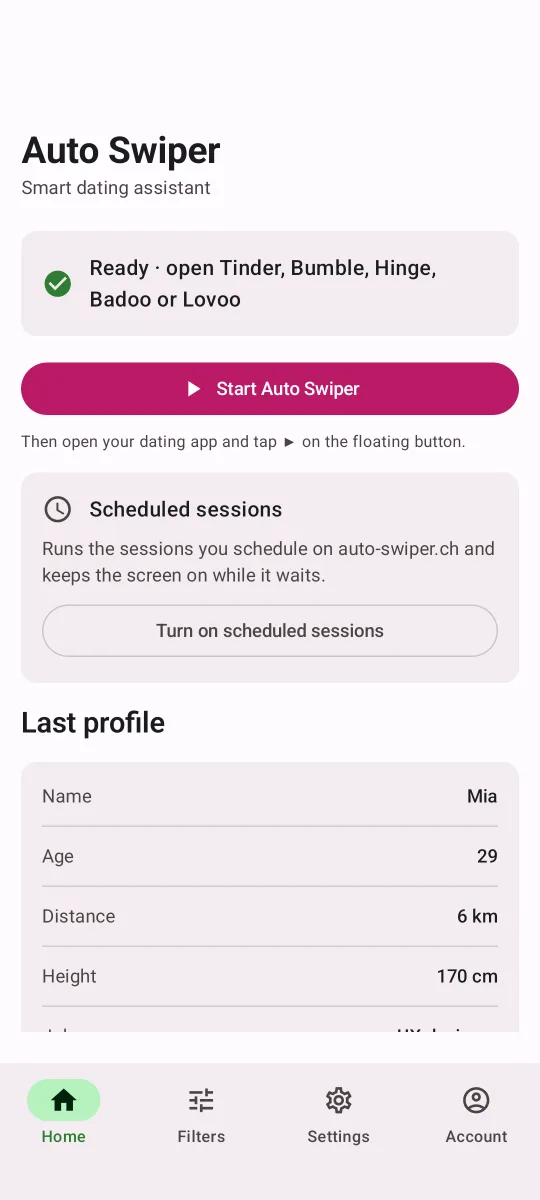
Android app features
Native Android automation — runs in the background with human-like gestures. No browser, no laptop.
Supported platforms
Keyword filtering
Pass or like profiles based on the words they mention. Skip keywords pass a profile, always-like keywords like it, and only-like keywords pass everyone who mentions none of them.
Scheduled sessions
Automate swiping at specific times. Set up sessions to run while you sleep or during busy periods for continuous engagement.
Swipe presets
Save different filters and swiping settings as swipe presets. Switch between them for different scenarios, or give each scheduled session its own.
Dating platforms
Extension supports 6 sites (Tinder, Lovoo, Badoo, PoF, OkCupid, Match). The Android app covers 5 — including Bumble and Hinge, which are Android-only.
Human-like gestures
Curved Bezier swipe paths with randomized timing and speed ranges. Native Android gestures that look indistinguishable from a real user — no mouse, no browser fingerprint.
Hinge — Android exclusive
Automate Hinge directly on your phone. Hinge has no web client, so this is the only way to swipe it automatically — only available in the Android app.
Browse the full feature catalog with platform support for each
How it works
1. Download the Android app
The Android app is a free bonus for Pro and Ultimate subscribers while it's in alpha. Log in on your phone's browser, go to your Downloads page, and install the latest APK.
Alpha
Go to downloads

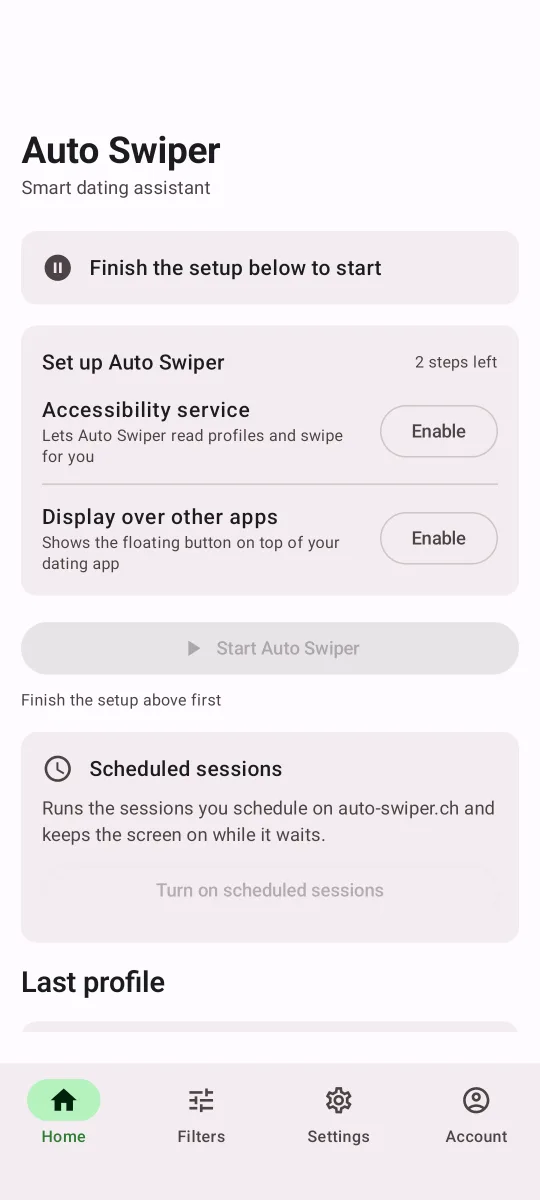
2. Grant permissions
Open the app, log in with your Auto Swiper account, and grant two permissions when prompted: the Accessibility Service (so Auto Swiper can read and tap inside your dating apps, just like a real finger) and Display over other apps (so the floating overlay can sit on top of Tinder, Bumble, Hinge, Badoo, and Lovoo).
Your dating-app login never leaves your phone.
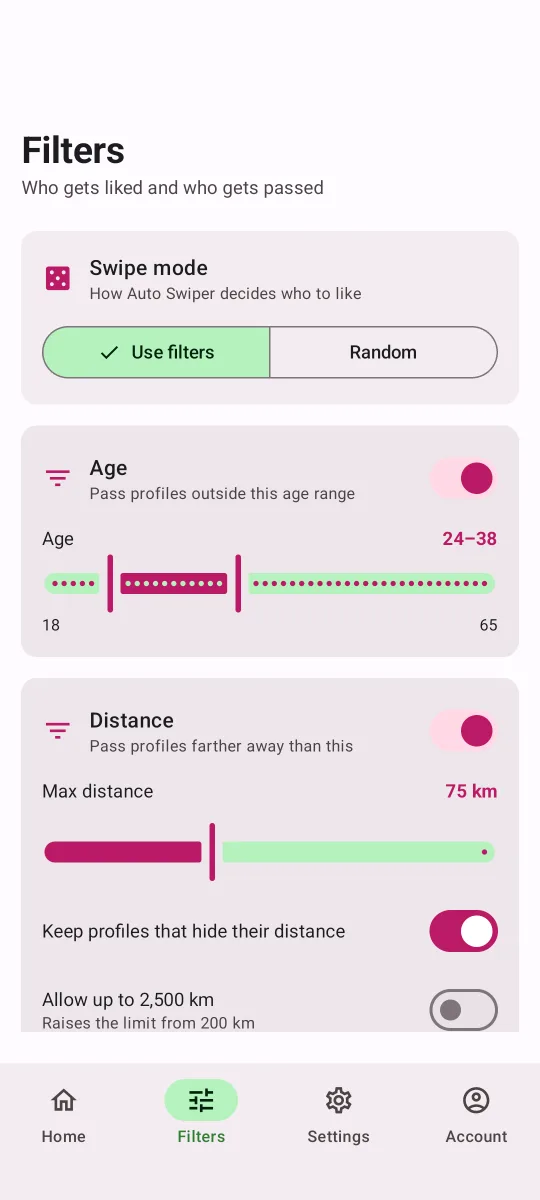
3. Set filters & start the overlay
Open the Filters tab and tune your filters: age, distance, height, skip, always-like and only-like keywords, or Random mode. They apply to every supported app — Tinder, Bumble, Hinge, Badoo and Lovoo. Scheduled sessions let you plan when the phone should run itself (Ultimate).
When you're happy with the setup, start Auto Swiper from the app's home screen. A small floating control panel appears on top of everything else.
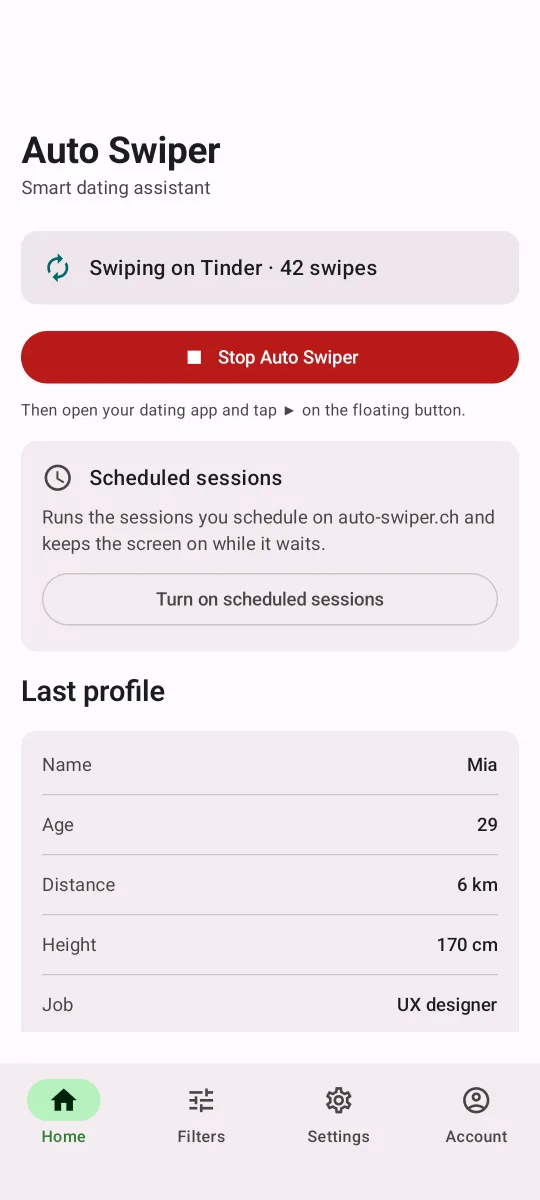
4. Open your dating app & press Start
Now open the dating app you configured, then tap Start on the floating overlay and let Auto Swiper do its thing. Human-like gestures with jitter and drift keep running in the background — you can minimize the screen and come back later to check your matches. New builds auto-update as we ship improvements.
Android pricing
The Android app is a free bonus for Pro and Ultimate subscribers while it's in alpha. Only plans and features available on Android are shown below — see the Extension pricing for the full comparison.
PRO
$9 / 1 month
$18 / 3 months
$59 / 12 months
ULTIMATE
$18 / 1 month
$45 / 3 months
$144 / 12 months
Android app — free for Pro & Ultimate subscribers while in alpha. Download it directly from your downloads page after logging in.
Free for Pro and Ultimate subscribers while in alpha
Your subscription pays for the Auto Swiper extension. The Android app is a free bonus for active Pro and Ultimate subscribers while it's in alpha — no extra purchase, no per-user approval, no separate charge.
Log in on your phone, and the app unlocks automatically. You'll get auto-updates as new alpha builds are published. It's free during the alpha and may become a paid add-on later.
What "Alpha" means
The Android app is in active alpha development and is a free bonus for Pro & Ultimate subscribers — your subscription pays for the browser extension, the app comes at no extra cost. Core swipe automation is stable and in daily use, but as an alpha you should expect the occasional rough edge — some features may still change and bugs are possible. We publish new builds often — when you open the app, it checks for updates automatically.
If something breaks, please send us feedback via the contact form so we can fix it fast — that helps far more than requesting a refund, and it's how the app gets better.
Get the Android app
Log in on your phone and install — auto-updates as new alpha builds publish. Requires Android 14 or later.