Browser extension
StableAuto Swiper — right in your browser.
Swipes Tinder, Lovoo, Badoo, PoF, OkCupid, and Match directly from Chrome, Firefox, Edge, Vivaldi, or Brave. No phone, no setup, no compromise.
Runs right inside your dating site — hands-free swiping with smart filters, scheduled sessions, and AI messages on Pro and Ultimate.
Free plan available — paid plans unlock advanced features.
Extension features
Hands-free swiping, advanced filters, and AI messages — right in your browser.
Supported platforms
Keyword filtering
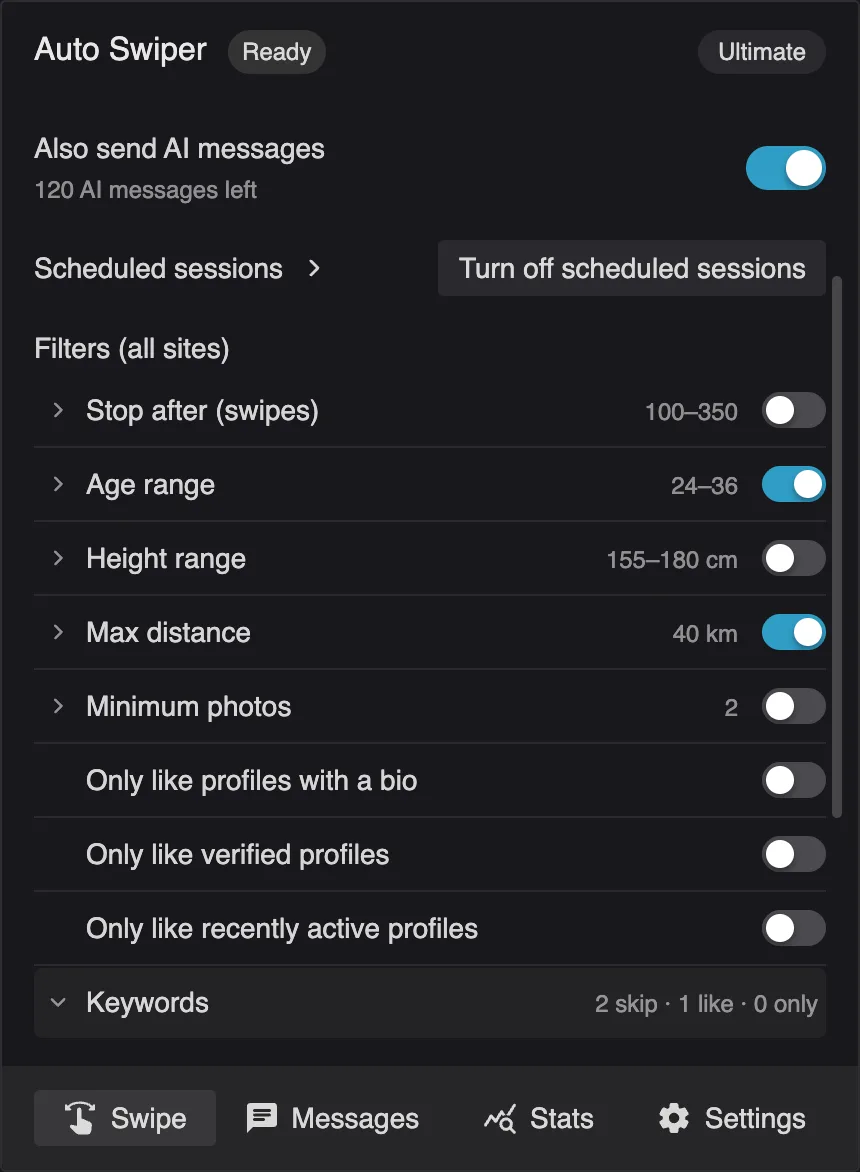
Pass or like profiles based on the words they mention. Skip keywords pass a profile, always-like keywords like it, and only-like keywords pass everyone who mentions none of them.
Scheduled sessions
Automate swiping at specific times. Set up sessions to run while you sleep or during busy periods for continuous engagement.
Location spoofing
Swipe through profiles from anywhere in the world. Change your location to match with people in different cities or countries.
Swipe presets
Save different filters and swiping settings as swipe presets. Switch between them for different scenarios, or give each scheduled session its own.
Dating platforms
Extension supports 6 sites (Tinder, Lovoo, Badoo, PoF, OkCupid, Match). The Android app covers 5 — including Bumble and Hinge, which are Android-only.
Automatic page reload
Reload the page every so many swipes, with an optional delay afterwards. Range sliders pick a random count each time for natural behavior.
Discover all the features and find the perfect plan for your needs
How it works
1. Install the extension
The Auto Swiper extension is available for Chrome, Firefox, Vivaldi, Brave, Microsoft Edge and other Chromium browsers.
Install


2. Set your preferences
Open a supported dating site and widen your preferences so you can refine them later in Auto Swiper — wider settings on the site mean Auto Swiper has more profiles to filter.
Example: Looking for someone between 32 and 36? Set the dating site's preferences to 28–38, then refine inside Auto Swiper.
3. Set your filters
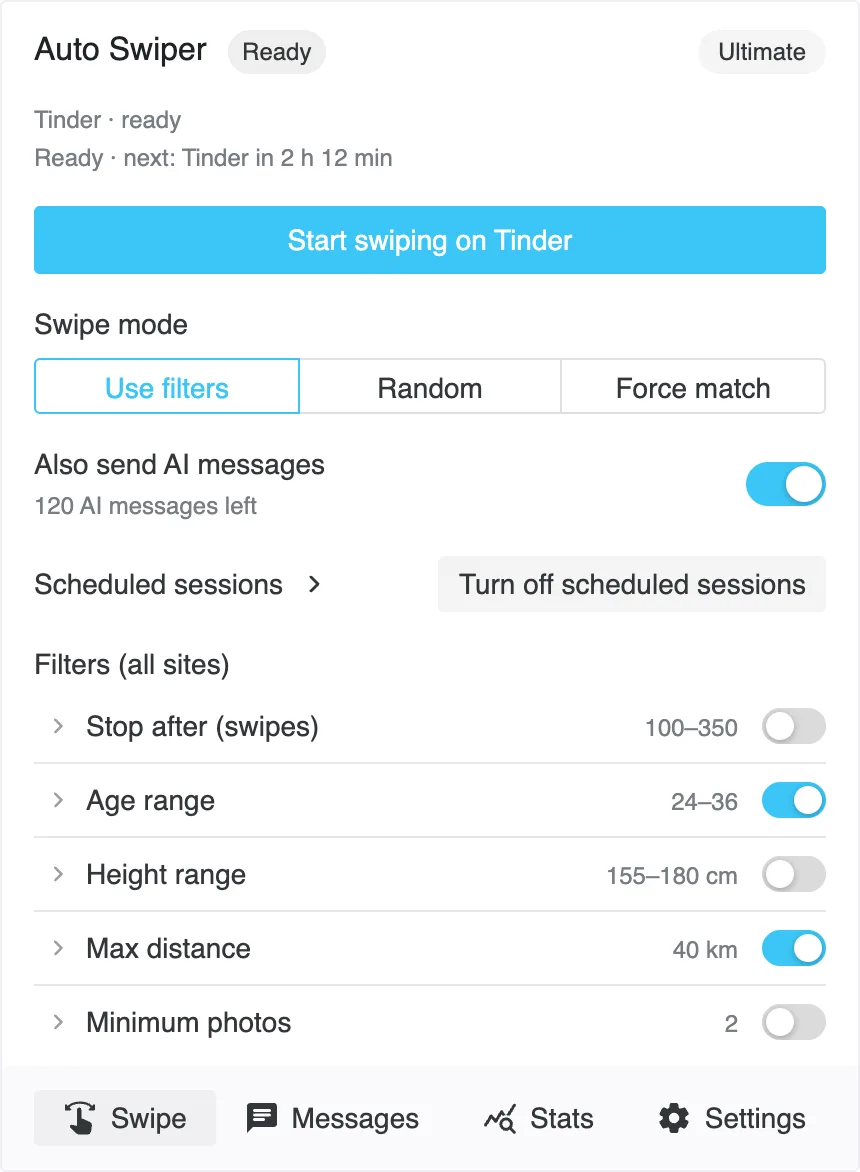
Open the Auto Swiper popup and set your filters: age range, max distance, minimum photos and skip keywords. They apply on every site.
Upgrade to Basic, Pro, or Ultimate for height, Keep profiles that hide their distance, always-like and only-like keywords, Random mode and more keywords per list. Pro and Ultimate add Allow up to 2,500 km and Force match.
4. Start & get more matches
You're ready — click Start swiping in the popup (it names the site you have open, like Start swiping on Tinder) and let Auto Swiper handle the tedious task of swiping so you have more time to connect with your matches.
Stable & in production
The browser extension has been in daily use for years — running on thousands of profiles every day across all six supported sites. Updates ship through the Chrome Web Store, Firefox Add-ons, and Edge Add-ons; your browser handles the upgrade automatically. If you'd like to see what's changed recently, check the changelog.
Pricing
Android marks features also available in the Android app. The Android app is a free bonus for Pro and Ultimate subscribers while it's in alpha.
An instance is one running copy of Auto Swiper — each browser profile or Android phone counts as one.
FREE
$0
BASIC
$6 / 1 month
$12 / 3 months
$36 / 12 months
PRO
$9 / 1 month
$18 / 3 months
$59 / 12 months
ULTIMATE
$18 / 1 month
$45 / 3 months
$144 / 12 months
Android app — free for Pro & Ultimate subscribers while in alpha. Download it directly from your downloads page after logging in, or learn more about the Android app →.
Install Auto Swiper
Available for every major browser.
New here? Set it up in three minutes.