Swipe like a human: delays, breaks and daily limits
Automation that looks automated gets noticed. Here is what each timing setting does, and why a slower session is usually the more effective one.
There's a temptation, the first time automation works, to turn everything up. Shortest delay, no breaks, run it all day. It's the wrong instinct, and not only for the reason you'd expect.
Two things happen when you swipe too fast. The obvious one is that no human swipes 400 profiles in four minutes, and dating platforms are reasonably good at spotting that. The less obvious one is that most platforms ration how many likes actually count per day — so a session that burns through your daily allowance in five minutes gets you the same number of matches as one spread over an hour, with more risk attached.
Slower is not a compromise here. It's just better.
Be honest about the risk
Automating a dating app is against the terms of service of every platform Auto Swiper supports. Nothing in this post makes that untrue. Accounts do get restricted, and we can't promise otherwise — that's why the Android app shows the warning on first launch.
What the settings below do is remove the obvious signals. That's worth doing, and it's all anyone can honestly offer.
Delay between swipes
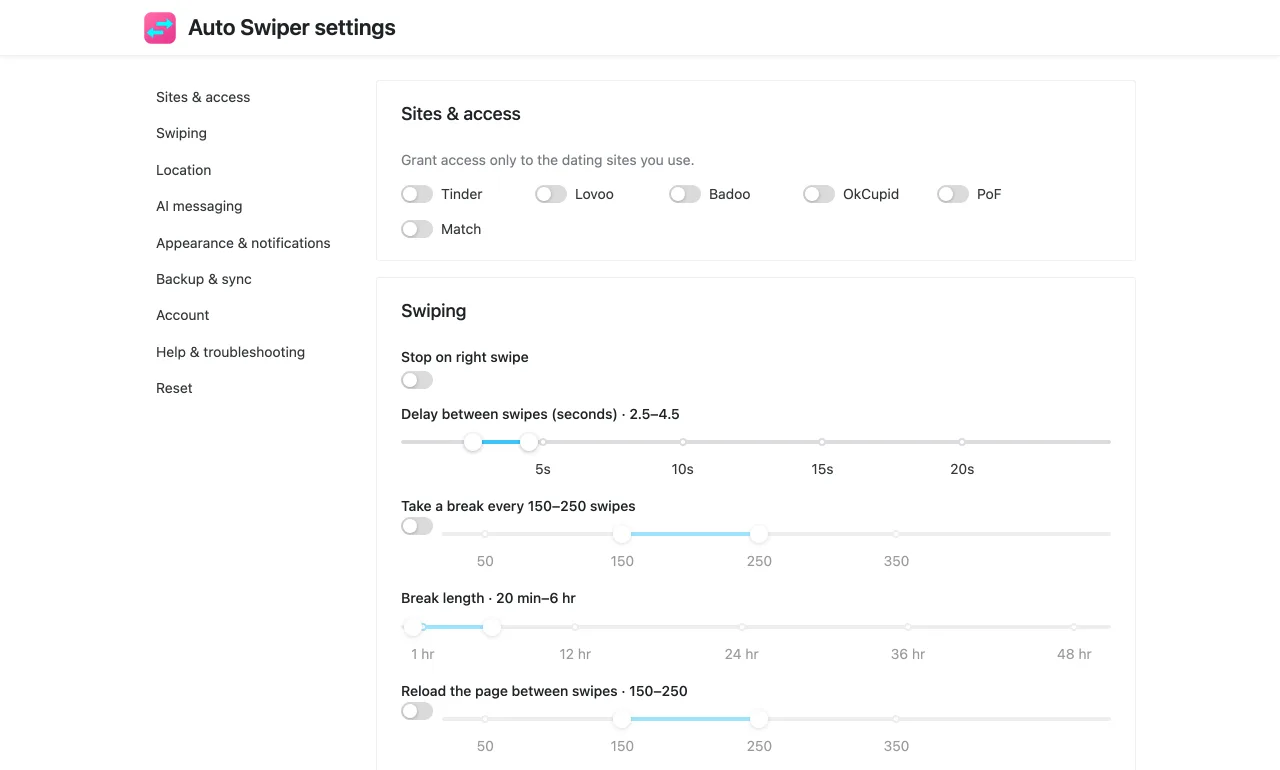
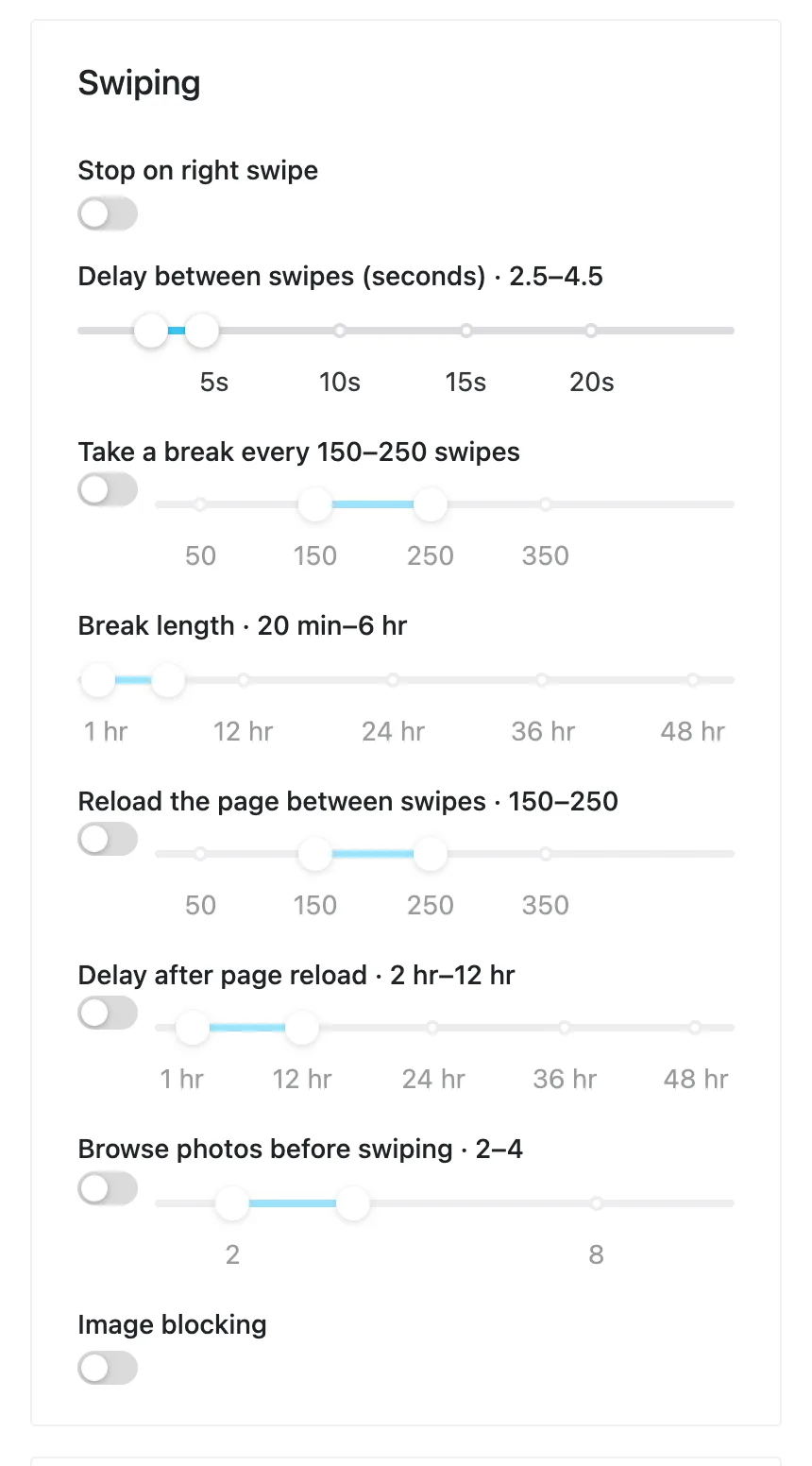
Settings → Swiping → Delay between swipes. This is the single most important number.
The default is already conservative. Resist the urge to floor it. A real person looks at a photo, maybe reads a line of the bio, and decides — that's seconds, not milliseconds, and it varies from profile to profile.
If you only change one thing, make this one comfortably slow and leave everything else alone.
Take a break every N swipes
Settings → Swiping → Take a break every / Break length.
Uninterrupted activity is its own signal. People get distracted, put the phone down, answer a message. Breaks reproduce that shape: after a set number of swipes, Auto Swiper stops for a while, then continues.
Two moderate settings — a break every few dozen swipes, a break of a minute or two — change the rhythm of a session far more than they slow it down.
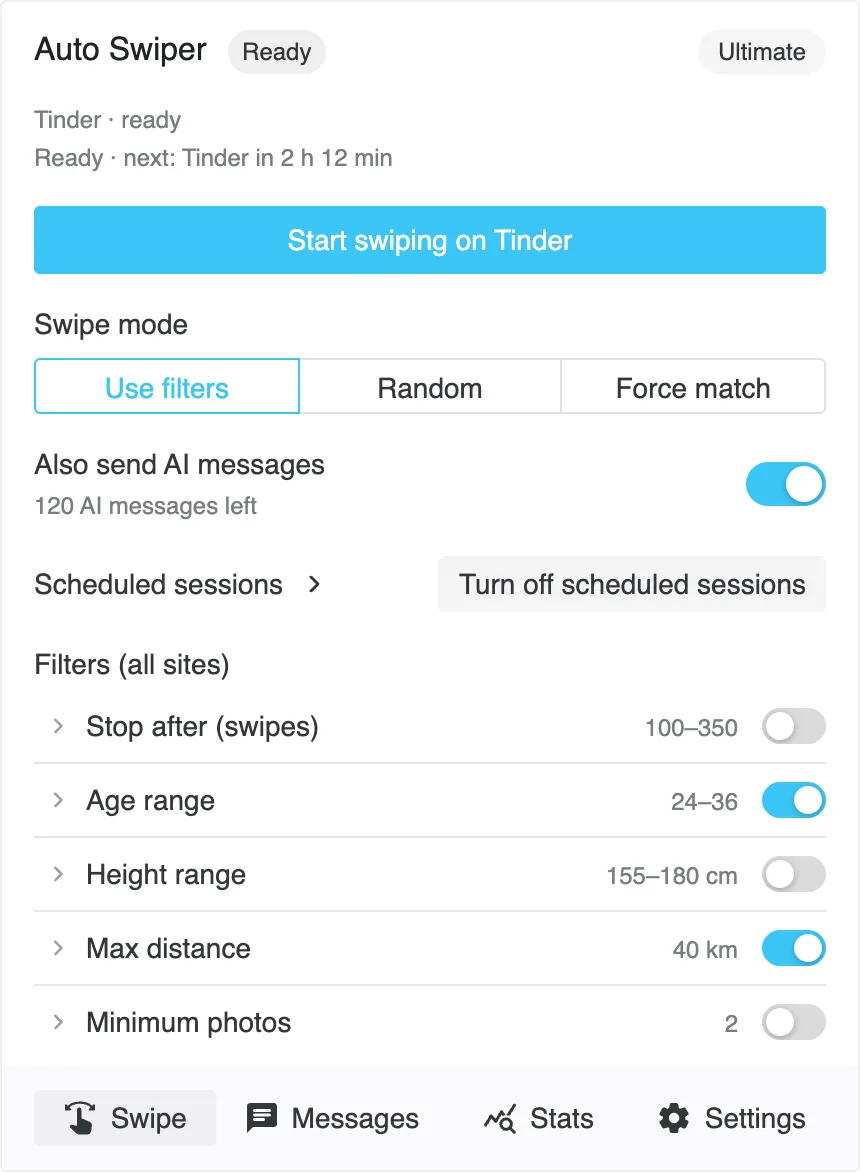
Stop after
Stop after ends a session at a swipe count you choose, and you can switch it off entirely if you'd rather run until the deck is empty.
Setting a limit is usually smarter than not. Most platforms cap the likes that count per day anyway, so swiping past that point is effort with no return — and a session that runs for hours is more conspicuous than one that ends like a person putting their phone away.
When you do hit a platform's own limit, Auto Swiper notices, stops, and shows a notification with a countdown to when it resets.
Browse photos before swiping
Browse photos before swiping (it used to be called Simulate random usage) makes Auto Swiper open some profiles and page through their photos before deciding, the way you would.
It costs time per profile. It also means the account isn't producing a perfectly uniform stream of decide-and-swipe events, which is the pattern that looks least like a person.
Reload the page between swipes
The Reload the page between swipes and Delay after page reload settings exist mainly for sites that get slow or stale during a long session. They're a stability tool rather than a stealth one — if a site starts serving you the same profile repeatedly or stops advancing, a periodic reload usually fixes it.
Leave them off unless you're seeing that problem.
Don't run it around the clock
The most human thing you can do is stop overnight.
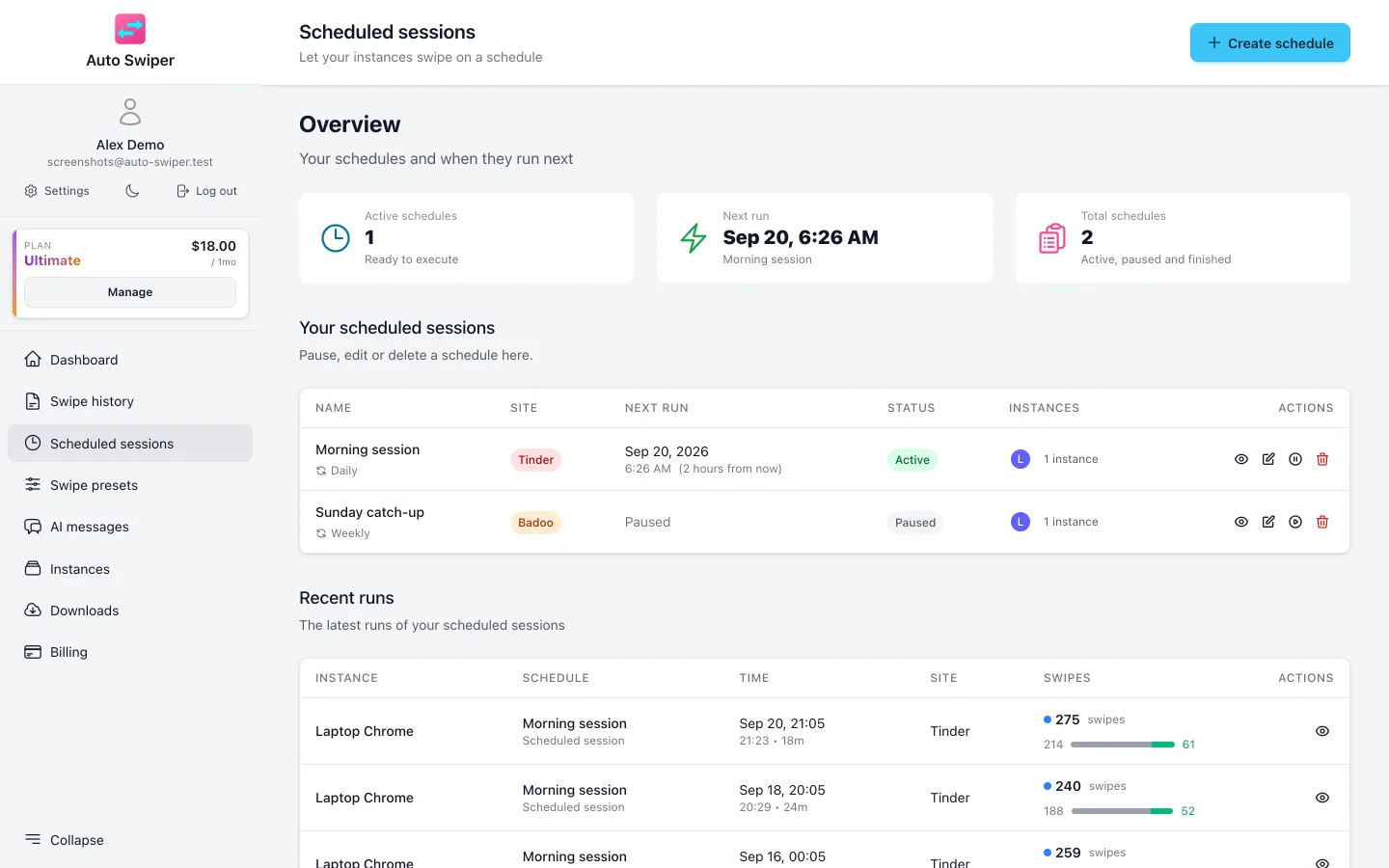
An account that swipes at 04:00 every day, without fail, is odd regardless of how well-spaced the individual swipes are. Scheduled sessions let you put the activity where it belongs — a run in the morning, one in the evening, nothing at 3am — and it's more effective on its own terms, because you're online when the people you want to match with are.
A reasonable starting point
If you want a shape rather than specific numbers:
- A delay that's comfortably in seconds, not fractions of one.
- A break every few dozen swipes, lasting a minute or two.
- A Stop after limit somewhere near the platform's own daily cap.
- Browse photos before swiping on, if you're not in a hurry.
- Two sessions a day at human hours, rather than one long one.
Then leave it alone. The most common mistake after the first week is fiddling — tightening a filter, shortening a delay, adding a keyword — until a setup that worked doesn't any more.
What actually improves your results
Timing settings protect your account. They don't get you better matches. For that, the lever is your filters — specifically the keyword lists, which decide by what people say about themselves rather than what they look like.
Test your keywords before you swipe shows how to check a list against a real bio before you trust it with a session. And your own profile matters more than any setting here; automation multiplies your results, in whichever direction they were already going.
Related reading
- Scheduled sessions — running at human hours, automatically.
- Filters, swipe modes and swipe presets explained — where each of these settings lives.
- Getting started with the browser extension.